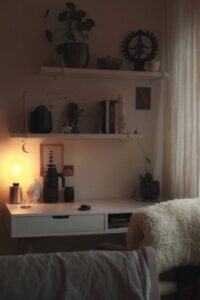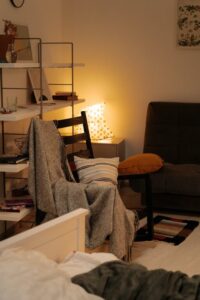
Tips for Organizing a Cozy and Functional Home Workspace
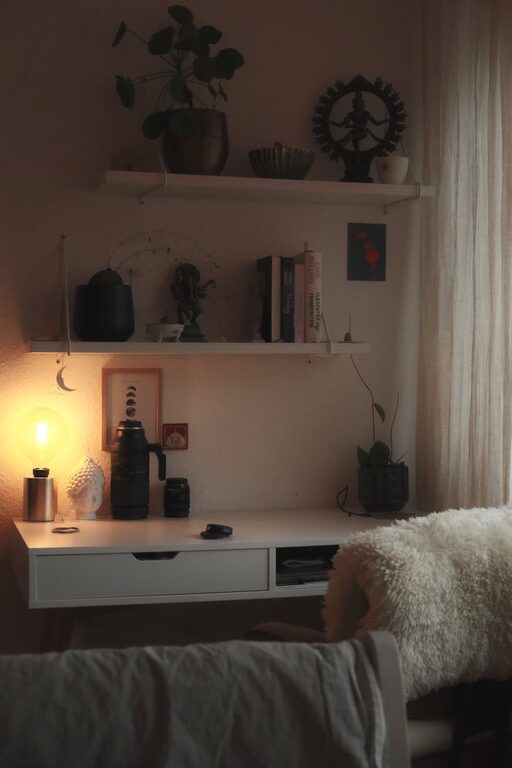
Creating a cozy and functional home workspace can transform the way you work or study from home. Whether you have a dedicated room or just a small corner, organizing your space thoughtfully helps improve focus, reduce stress, and increase productivity. In this post, we’ll explore practical and easy tips to organize a home workspace that feels inviting and works well for your needs.
Why Organize Your Home Workspace?
A well-organized workspace helps you keep everything you need within reach, minimizes distractions, and creates a sense of calm. When your work area is clutter-free and personalized, it’s easier to focus and maintain a healthy work-life balance, especially when working remotely.
—
Choose the Right Location
Consider Natural Light
Whenever possible, position your desk near a window. Natural light improves mood and energy levels, making your work time more enjoyable. If natural light is limited, invest in a good desk lamp with adjustable brightness.
Assess Noise Levels
Pick a spot with minimal noise and distractions. If you don’t have a quiet corner, consider noise-canceling headphones or a white noise machine to help maintain concentration.
—
Invest in Functional Furniture
Ergonomic Chair and Desk
Comfort is key. Select a chair that supports your posture and a desk at a height that prevents strain. Adjustable chairs and desks offer flexibility for different tasks and users.
Storage Solutions
Incorporate shelves, drawers, or filing cabinets to keep documents and supplies organized. Use vertical space efficiently if your area is small.
—
Declutter and Organize Essentials
Keep Only What You Need
Limit the items on your desk to essentials such as your computer, notebook, and a few stationery items. Store other supplies out of the way to maintain a tidy surface.
Use Organizers and Containers
Desk organizers, trays, and cups help separate items like pens, paper clips, and sticky notes. Label containers if needed to find things quickly.
—
Personalize Your Workspace
Adding personal touches makes your workspace inviting and motivates you to spend time there.
– Plants: Indoor plants add color and improve air quality.
– Artwork or Photos: Choose images that inspire or calm you.
– Comfort Items: A cozy throw, cushion, or footrest can enhance comfort.
—
Manage Cables and Electronics
Tidy cables reduce visual clutter and potential hazards.
– Use cable organizers or clips to bundle loose cords.
– Charge devices away from your work area if possible.
– Consider wireless devices to minimize wires.
—
Establish Good Lighting
Good lighting prevents eye strain and improves focus.
– Combine natural and artificial lighting.
– Use task lighting like a desk lamp for detailed work.
– Avoid glare on screens by adjusting window treatments or screen angles.
—
Maintain Cleanliness Regularly
Set a routine to tidy up your workspace daily or weekly.
– Wipe surfaces.
– Dispose of unnecessary papers.
– Refresh plants and clean electronic devices.
—
Create Zones for Different Activities
If space allows, designate specific areas.
– Work Zone: Desk and computer for focused tasks.
– Reading Zone: Comfortable chair with good lighting.
– Storage Zone: Shelves or cabinets.
This separation helps psychologically shift between tasks.
—
Use Technology to Stay Organized
– Digital calendars or reminder apps keep track of deadlines.
– Cloud storage reduces paper clutter.
– Noise-canceling apps can help block distractions.
—
Final Thoughts
Organizing a cozy and functional home workspace is about balancing efficiency and comfort. By carefully considering location, furniture, organization tools, and personal touches, you can create a space that supports productivity and well-being. Regular maintenance keeps your workspace welcoming, making every workday a little easier and more enjoyable.
Try implementing these tips gradually and tailor your setup to what feels best for you. A neat and inviting workspace truly makes a difference in how you work from home.