Tips for Creating a Productive Home Office Environment

Creating a productive home office is essential for anyone who works remotely or spends significant time on tasks at home. A well-organized, comfortable, and inspiring workspace can improve focus, reduce stress, and help maintain a healthy work-life balance. Whether you’re setting up your first home office or looking to improve your current space, these tips will help you create an environment where productivity thrives.
1. Choose the Right Location
Find a Dedicated Space
Select a quiet spot in your home where distractions are minimal. This could be a spare room, a corner in a less-used area, or even a nook near a window. Having a dedicated workspace helps your brain associate that area with work, improving focus and routines.
Consider Natural Light
Good lighting is crucial for productivity and well-being. Try to place your desk near a window to take advantage of natural light. If that’s not possible, invest in quality artificial lighting that reduces eye strain without causing glare on your screens.
2. Invest in Comfortable and Functional Furniture
Ergonomic Chair and Desk
Comfort plays a big role in how productive you can be. Choose an ergonomic chair that supports your back and encourages good posture. Your desk should be at a height where your arms rest comfortably, and your feet sit flat on the floor or on a footrest.
Organize Your Desk Space
Keep your desk clean and organized, with only essential items within reach. Consider using desk organizers, trays, or drawers to reduce clutter.
3. Optimize Technology and Equipment
Reliable Internet Connection
A fast and reliable internet connection is a must for most home office workers. Test your speed regularly and upgrade your plan or equipment if needed to avoid interruptions.
Use Quality Devices
Ensure your computer, monitor, keyboard, and mouse are comfortable and efficient for your daily tasks. Consider a second monitor if you often multitask.
Manage Cables
Tidy up cables using clips, sleeves, or under-desk trays to prevent tangling and create a cleaner look.
4. Create a Routine and Set Boundaries
Establish Work Hours
Set consistent start and end times for your workday. This helps separate work from personal time and prevents burnout.
Use Signals
Communicate your work hours and availability to family or housemates to reduce interruptions. Simple signs or closing the office door can send a clear message.
Take Breaks
Schedule short breaks to stand, stretch, or walk. Taking regular breaks can increase focus and reduce fatigue.
5. Personalize Your Workspace
Add Plants and Artwork
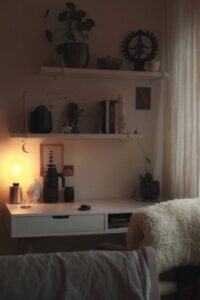
Natural elements like plants can improve air quality and reduce stress. Artwork or personal photos can create a pleasant, motivating atmosphere.
Use Inspiring Colors
Color impacts mood and productivity. Soft blues and greens encourage calm and concentration, while bright colors like yellow can stimulate creativity.
6. Control Noise and Distractions
Use Noise-Canceling Headphones
If your environment is noisy, noise-canceling headphones can help you focus during work hours.
Manage Digital Distractions
Limit notifications and close unused tabs or apps that can divert your attention. Consider using productivity apps that block distracting sites during work time.
7. Maintain Good Air Quality and Temperature
Keep Air Fresh
Good ventilation improves comfort and alertness. Open windows when possible or use air purifiers to maintain fresh air.
Adjust Room Temperature
Work in a space where the temperature is comfortable—typically between 68–72°F (20–22°C). Extreme temperatures can hinder concentration.
8. Stay Organized Digitally and Physically
Declutter Regularly
A tidy workspace promotes clarity and motivation. Set aside time weekly to file documents, throw out unnecessary papers, and straighten your desk.
Use Digital Tools
Organize files and tasks with software or cloud services. Keeping your digital workspace neat complements your physical environment.
—
Creating a home office environment that encourages productivity doesn’t have to be complicated or expensive. Small changes can have a big impact on your comfort, focus, and overall work experience. Experiment with these tips to find the setup that best supports your workflow and lifestyle. A productive workspace is yours to design!